KEEP YOUR SCRIPTS
Your language. Your workflow.
Run ordered Bash, PowerShell, and Python steps. Bring the scripts you already know and give them a repeatable deployment process.
YOUR INFRASTRUCTURE. YOUR DEPLOYMENTS.
Bring your scripts. Keep your infrastructure.
Turn deployments into a workflow you can see, repeat, and trust.
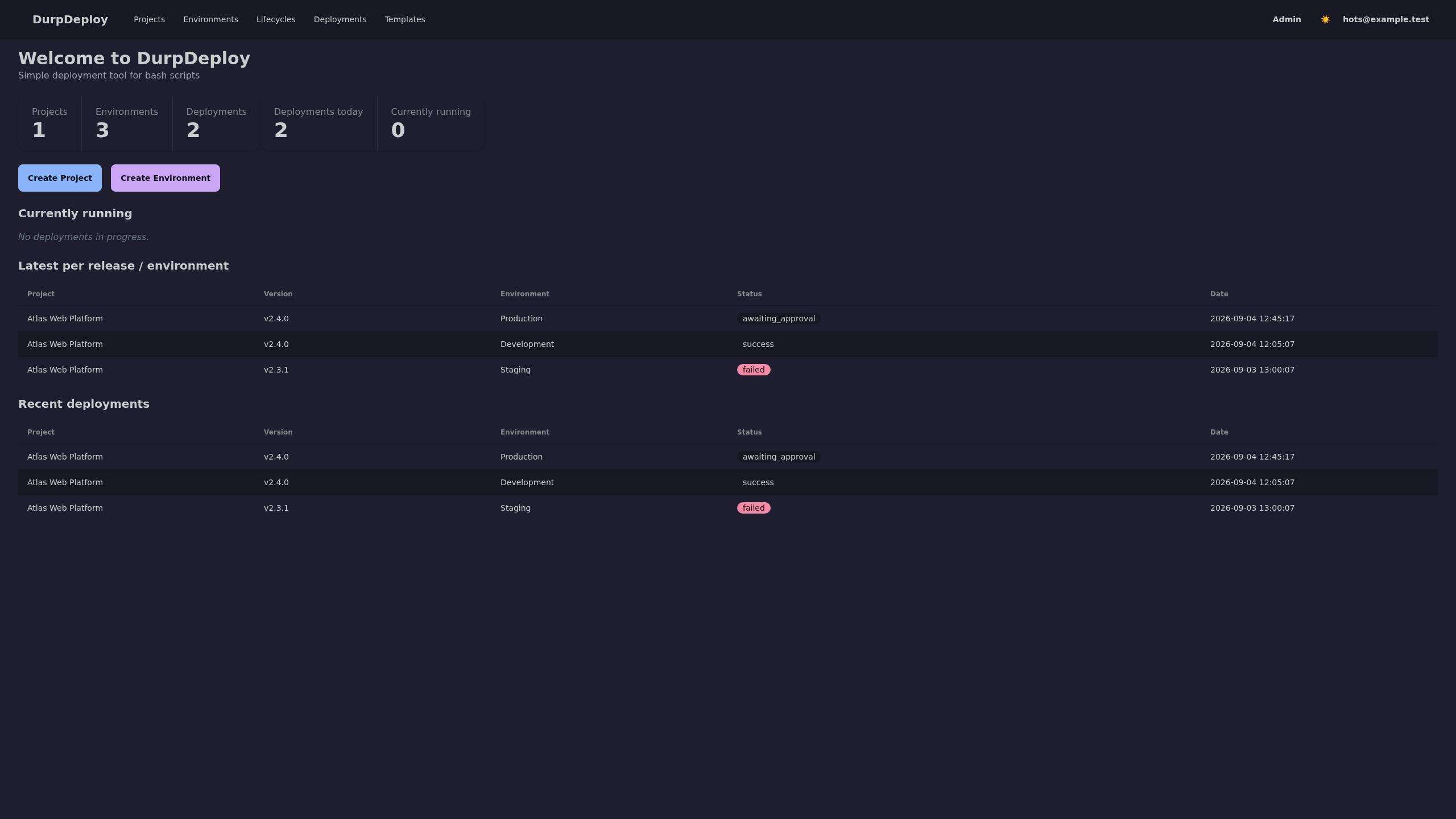 View full screenshot
 Actual DurpDeploy application · demo data
FAMILIAR SCRIPTS. A CLEARER PICTURE.
Your scripts already do the work.
Give them a place to work together.
KEEP YOUR SCRIPTS
Run ordered Bash, PowerShell, and Python steps. Bring the scripts you already know and give them a repeatable deployment process.
CAPTURE THE RELEASE
Capture project steps and variables in a release. Each deployment keeps its own snapshot, so its execution history stays intact.
DEPLOY WITH INTENTION
Add approval gates, review generated artifacts, and inspect verification results. Cancel or roll back when a deployment needs another look.
REACH YOUR ENVIRONMENTS
Route work to matching remote agents by environment and capability over pinned mTLS. Run server steps in Docker or Podman containers.
MAKE OPERATIONS REPEATABLE
Turn routine work into runbooks, reuse step templates, and schedule deployments. Keep live logs and an audit trail close at hand.
CONNECT THE PIECES
Use the JSON API with bearer tokens. Send notifications to Slack, email, Gotify, or Discord, and add optional OIDC and browser MFA.
FROM PROJECT TO PRODUCTION
Create a project and arrange script steps in the order they should run.
Define your environments and their variables, with masking for secrets.
Snapshot the project configuration into a versioned release.
Choose an environment, follow live logs, and review approvals and verification.
Build with your existing tools. Let DurpDeploy handle the deployment workflow.
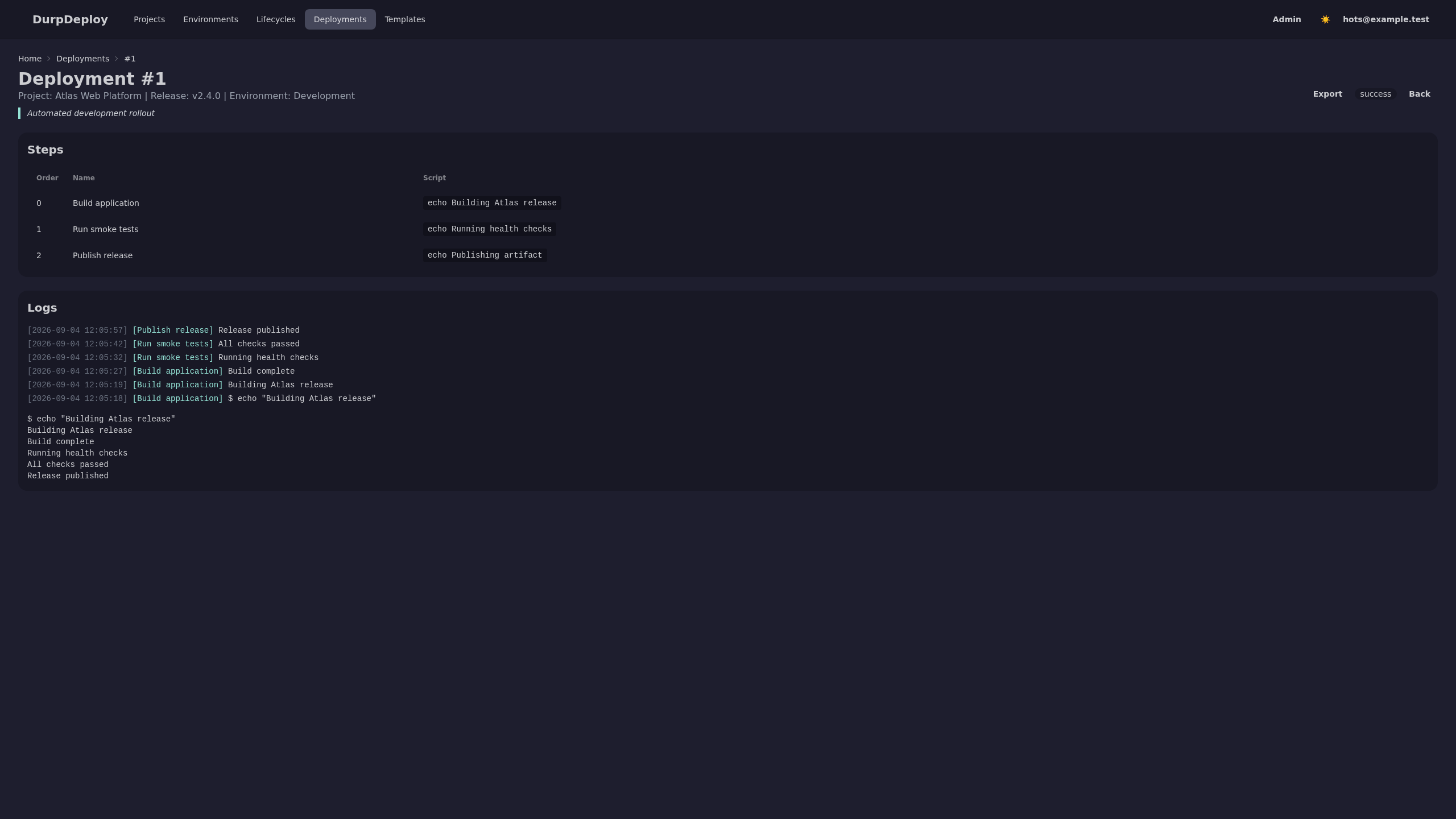
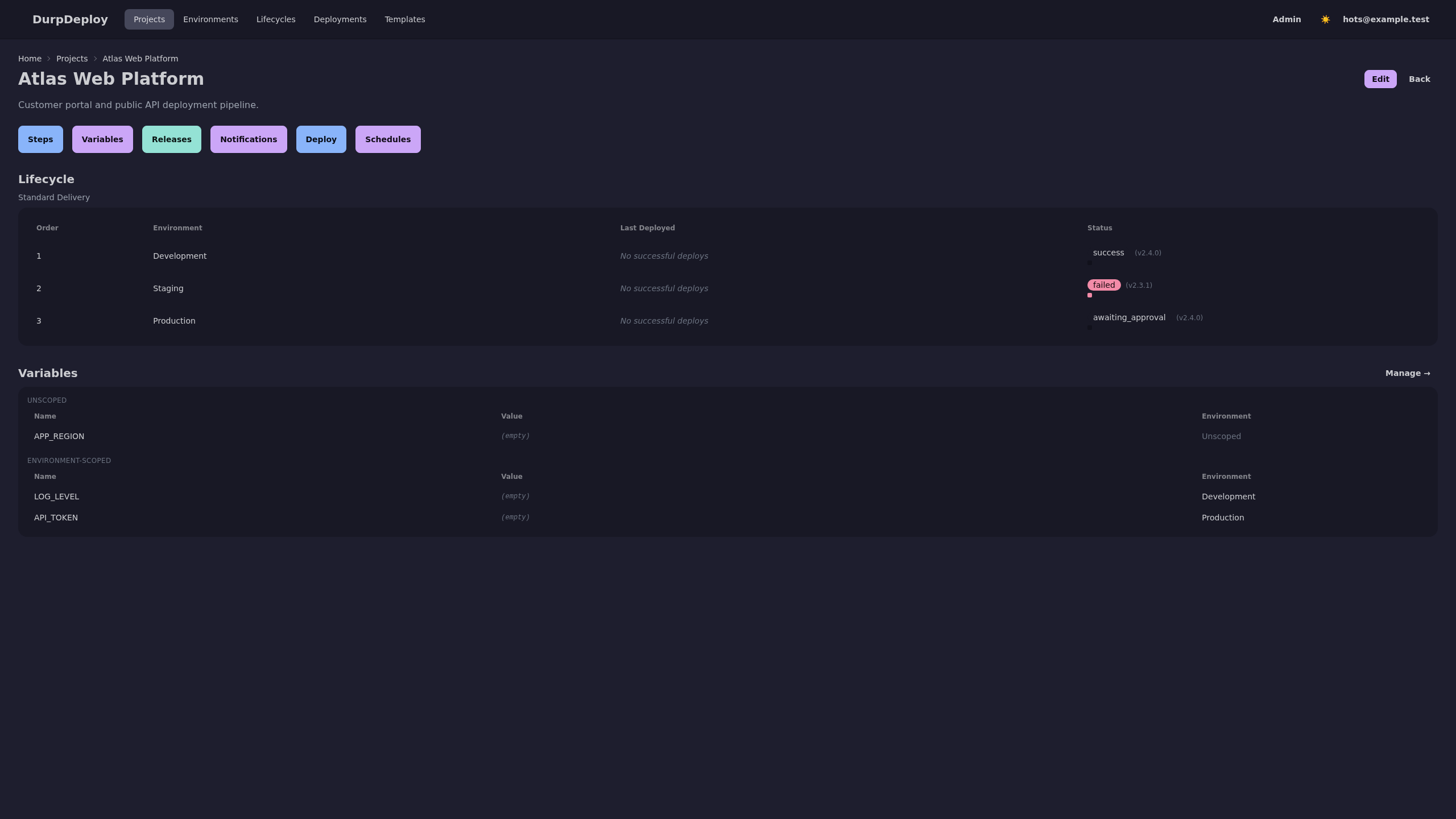
A LOOK INSIDE
Projects, releases, and logs.
An interface built around the work.
Screenshots from the project’s demo fixtures. Open an image to take a closer look.
YOUR STACK. YOUR CALL.
A Go binary, a web interface, and SQLite by default. Use PostgreSQL or SQL Server when that fits your stack. Keep deployment orchestration on infrastructure you control.
Find your setupMAKE IT YOURS
Pick the guide that fits your setup.
Build something, then ship it.
Actively being built. DurpDeploy doesn’t have a stable release yet. Review the versioning guide before installing or upgrading.
Run DurpDeploy with Caddy for HTTPS and Litestream for SQLite backups. Follow the complete configuration and bootstrap steps.
Installation guideUse Go 1.26+, Node.js, the templ CLI, and Docker or Podman. Build locally, create your first admin, and explore the application.
Development guideHost the server using the Helm chart. Pair standalone agents to run executable steps on the environments you manage.
Helm chart guideNeed to connect a target? Read the remote agent guide Source and guides are on GitLab; sign-in may be required.
DurpDeploy is a self-hosted, single-binary deployment tool for Bash, PowerShell, and Python scripts. It organizes projects, environments, releases, and deployments in a web interface, with live logs and a JSON API.
Not yet. DurpDeploy is under active development. Check the source repository and its versioning guide for current build information, compatibility, and upgrade guidance before choosing a version.
DurpDeploy focuses on deployment orchestration and repeatable operations. It does not provide a CI/build pipeline or parallel step execution. Keep your existing build process and use DurpDeploy to orchestrate deployment steps.
Server-side steps run in containers and require a container image and a ready Docker or Podman runtime. Remote steps run on matching active agents. There is no SSH deployment target or automatic local fallback for remote work. The Helm chart hosts the server; it does not add a Kubernetes-native execution backend.
SQLite is the default and suits a single application instance without a separate database server. PostgreSQL and SQL Server are also supported. Follow the deployment and backup guides for configuration and maintenance.
Yes. DurpDeploy is licensed under MIT. Read the code, report an issue, or contribute through the GitLab repository. The authoritative self-hosted GitLab instance may require sign-in.
OPEN SOURCE. OPEN TO WHAT’S NEXT.
Explore the code. Try it on your infrastructure.
Help shape what comes next.